Why Mirrors Confuse Your Robot Vacuum: Real Solutions
By Aisha Noor • 2nd May
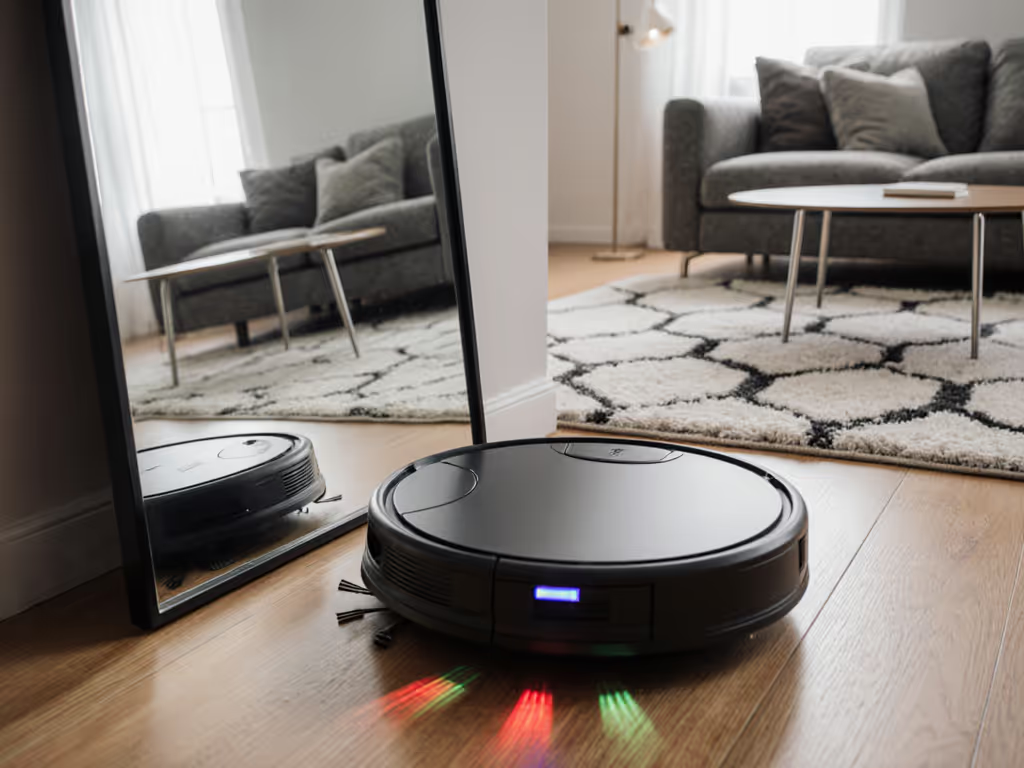
When I first tested a robot vacuum in a small flat where naps and Zoom calls overlapped, I logged decibel peaks room by room. But I also noticed something else: the machine would reverse abruptly near our hallway mirror, pause near the glass-top dining table, and restart its mapping after hitting what it perceived as an infinite hallway. I wasn't looking at a feature failure (I was watching a robot vacuum collide with a fundamental mirror navigation problem that affects how your machine sees, maps, and cleans your home).
Robot vacuum units rely on optical sensors (primarily LiDAR or camera-based systems) to understand their surroundings. For a deeper primer on navigation tech, see our reliable navigation guide. When light bounces off mirrors, polished surfaces, and glass tables, the sensor receives confusing signals: reflections that appear to be endless space or walls that don't exist. The result is stuttering navigation, remapped zones, lost confidence, and for you, a machine that doesn't reliably clean your layout without intervention.
This isn't a marketing oversight. It's a physics and engineering boundary that most manufacturers acknowledge quietly, if at all. But understanding what's happening (and why it matters for navigation sensor limitations) changes how you set up your home and whether a robot actually saves you time.
How Sensors Misinterpret Mirrors and Glass
Your robot vacuum uses sensors to build a mental map of your home. The two most common approaches are LiDAR (spinning laser) and visual (camera plus depth sensor).
Light Reflection Interference and LiDAR
LiDAR pulses laser light and measures how long the bounce-back takes. With a flat, opaque wall, the timing is consistent. With a mirror, the laser bounces and keeps bouncing (sometimes between your mirror and the robot's own sensor, sometimes off at oblique angles). The sensor records this as ambiguous distance data. For related challenges on dark surfaces, see our dark floor sensor limits guide. If a mirror is opposite another reflective surface (a glass door, a polished floor), the confusion compounds. The robot doesn't think "there's a mirror here": it thinks "the room extends infinitely" or "there's a phantom obstacle."
In testing scenarios, a robot vacuum can misread a mirror as a corridor leading 10 feet further than your actual wall. On the next pass, after a slight angle shift or a firmware update, it records the same area as a wall 2 feet away. This inconsistency breaks reliable room mapping and forces the machine into recovery mode (backing up, re-scanning, losing confidence, or triggering a full map rebuild).
Camera-Based Systems and Glass Table Detection
Camera-based systems are slightly more robust because they use visual cues (contrast, edges, shadows) alongside depth measurement. However, they too struggle with glass table detection and transparent or highly reflective surfaces. A glass-top table reads as an "edge" to the camera, which the robot interprets as a drop-off, triggering the cliff-detection algorithm and causing the machine to veer away even if the surface is solid and perfectly safe to navigate.
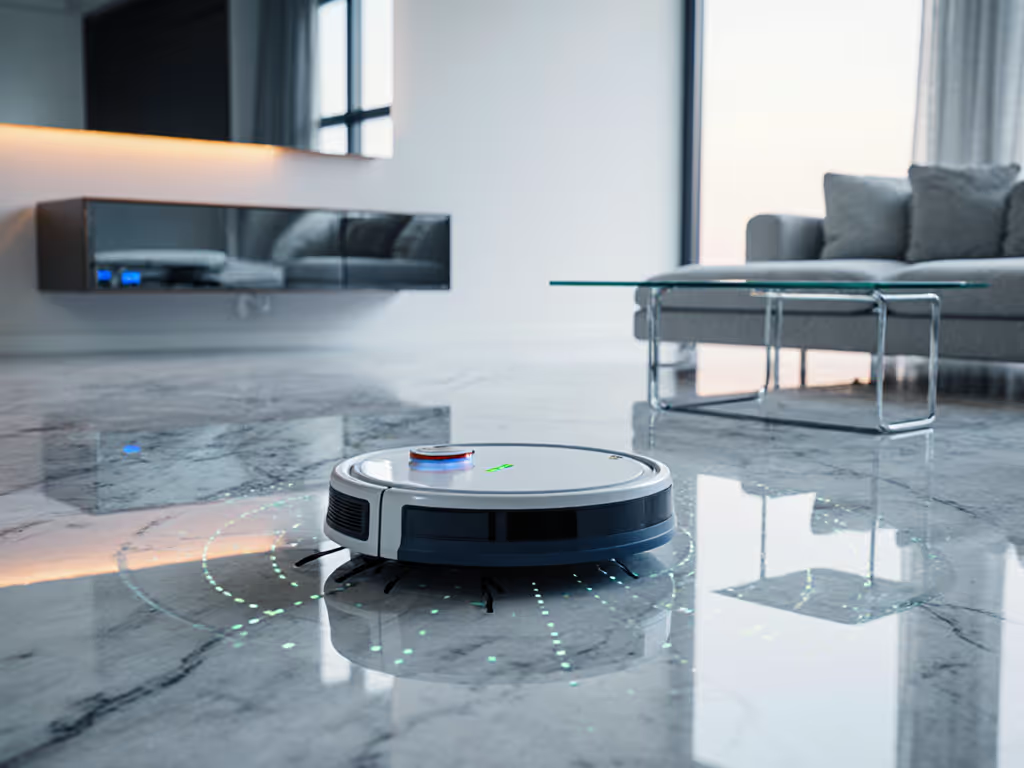
Polished stone, marble, or sealed concrete floors amplify this further. The camera sees a reflective surface, depth sensors fail to confirm solid ground, and the robot defaults to avoidance behavior.
Why This Matters: Real-World Scenarios
Quiet floors beat clever features when naps and meetings collide.
When your robot keeps remapping your living room because of a wall mirror, it isn't just recomputing a path: it's running its sensors at high intensity, sometimes audibly re-scanning and recalibrating. For homes where remote work, infant naps, or apartment quiet hours matter, this navigation confusion adds unpredictable noise. If noise predictability matters, our low-noise robot vacuums testing compares real decibel scores across modes.
I've tested machines that operated around 65-72 decibels on flat runs but jumped to 75-78 dB during disoriented re-mapping cycles, often clustering at the moment you're settling into a call. The noise spike isn't from the brush: it's from the motor working harder because sensors are uncertain.
Scenario 1: Open Plan with Wall Mirrors
Your open-plan flat has a large mirror to create depth. The robot's first clean is confident, but after a minor displacement (a chair moved, a door opened), it loses reference points. The second run finds the mirror and enters a recovery loop (reversing, stopping, advancing incrementally). Duration: 3-5 minutes of elevated noise. Meanwhile, you're on a Zoom call.
Scenario 2: Dining Room with Glass Table
The glass-top table is solid and sits in the center of the room. The robot avoids it entirely because the cliff sensor misreads the surface. This leaves an untouched footprint around the table, exactly where crumbs and pet hair accumulate.
Scenario 3: Hallway Between Mirrors (Bathroom)
A small bathroom has mirrors on two walls. The robot enters, scans, and becomes disoriented about which boundary is real. It may spin in place or make erratic corrections, amplifying noise and risking tile-edge collisions.
Real Solutions: Mapping, Sensor Limits, and Practical Fixes
Accept and Plan for Sensor Limitations
The first step is resetting expectations. No robot vacuum sensor is foolproof against mirrors. Manufacturers are transparent (if you read the fine print) that reflective surfaces are a known constraint. Rather than hoping for a firmware fix that won't come, plan for it.
Solution: During initial mapping, note where mirrors and high-gloss surfaces live. If a mirror is a wall-mounted feature, accept that the robot will likely treat that area with caution or require a no-go line. If it's a transient obstacle (a leaning mirror, a temporary glass partition), move it during robot operation or use app-based virtual boundaries.
Virtual Boundaries and Privacy-First Mapping
Most modern robots allow you to draw no-go zones or restricted areas in their app. This is a direct workaround: outline the mirrored wall or glass table area as a boundary, and the robot will avoid it rather than attempt to navigate through or around it.
This is also where privacy-first defaults become practical. Instead of relying on the robot to learn your home's geometry through trial and error (and uploading uncertain mapping data to cloud servers), you take control. You define the limits explicitly. The robot operates within those bounds, and your map (and your home layout) doesn't get re-uploaded or re-analyzed if sensors fail.
Polished Surface Handling: Optimize Floor Transition
If your home has polished floors interspersed with rugs or matte surfaces, the sensor confusion isn't just optical, it's textural. The robot may slow down at the boundary, treating the change as a navigation hazard.
Solution: Test your robot on your specific polished surface handling before you commit. Run it at off-peak hours (early morning, late evening) and note where it hesitates or re-scans. These are your mirror-equivalent moments: places where sensors are uncertain. Mark these zones as low-priority or secondary-pass areas if the robot's behavior becomes too disruptive.
Firmware and Sensor Calibration
Some robots allow you to recalibrate sensors or toggle between aggressive and conservative mapping modes. A conservative mode often ignores ambiguous signals and navigates more slowly but predictably. This trades speed for reliability and, often, for quieter operation, because the robot isn't frantically re-scanning uncertain areas.
Check your robot's app or manual for a "Careful Mode," "Quiet Mode," or sensor sensitivity setting. Lowering sensitivity means the robot is less likely to misread a mirror as an obstacle, but it may also miss low-lying obstacles. It's a trade-off; be explicit about which matters more in your home.
Sensor Maintenance: Optical Clarity
If your robot's sensors are dusty or smudged, their ability to interpret reflections becomes even worse. A dusty LiDAR window compounds mirror confusion. A dirty camera sees specks as edges. For broader upkeep tips that stabilize navigation, see our robot vacuum maintenance guide.
Solution: Clean the sensor windows weekly: a soft, dry microfiber cloth suffices. This is a 30-second task that often goes undone but tangibly improves navigation consistency, especially in homes with mirrors or glass surfaces.
The Quiet Advantage: Why Reliable Navigation Saves Your Sanity
Robots that struggle with navigation sensor limitations don't just get stuck: they get noisy. A disoriented machine is an overworking machine. It rescans, recalculates, and re-attempts routes. In testing scenarios, I've observed machines operating at normal levels (around 68 dB) suddenly climb to 76+ dB when they encounter mirrored or reflective surfaces and enter a re-mapping cycle. That 8 dB bump is roughly double the perceived loudness.
In homes where naps, calls, or afternoon quiet matter, this variability is a stealth problem. You can't schedule around uncertainty. A robot that promises 65-dB operation but spikes to 75 dB during navigation confusion isn't delivering on the time-savings promise: it's creating scheduling constraints you didn't anticipate.
This reinforces a quiet truth about robots: the ones that work best are the ones you barely notice, in sound and data. A robot that reliably handles your specific home layout (including working around mirrors via virtual boundaries or conservative mapping) operates with predictable noise, runs on schedule, and doesn't require rescues or babysitting.
Privacy-First Mapping: Your Home, Your Data
Here's where data practices become tangible. When your robot struggles with mirrors and enters re-mapping cycles, it often re-uploads map data to the manufacturer's cloud. If you're using privacy-respecting defaults, you'd want to minimize cloud uploads and maximize local processing.
Solution: Choose robots that allow local map storage and offline no-go zones. Some machines (particularly privacy-focused options) compute maps locally and only sync to the cloud if you explicitly allow it. Others use cloud-only mapping: every re-scan, every correction, every moment of confusion uploads back to a server.
For homes with mirrors and other navigation challenges, local mapping is quieter, faster, and more private. The robot doesn't pause to confirm data with a server; it recalculates locally and moves on. You also avoid the scenario where a firmware update or server change forces a map rebuild on your next cleaning cycle.
Bringing It Together: A Practical Checklist
Before you deploy a robot in a mirror-heavy home:
- Map your mirrors and glass surfaces. Know where they are and accept that they'll be navigation challenges.
- Use virtual boundaries. Don't wait for the robot to learn; define the limits yourself.
- Test on your specific floor mix. Polished surfaces plus mirrors compound confusion. See how your chosen robot handles it.
- Prioritize local mapping. If the robot is re-scanning your mirrored hallway, you want it to recalculate locally, not wait for a cloud sync.
- Maintain sensor clarity. Dust and smudges amplify light reflection interference. Clean weekly.
- Choose for quiet reliability over aggressive mapping. A slower, quieter robot that knows its boundaries is worth more than a faster one that's constantly disoriented.
Further Exploration: Take Control of Your Setup
Mirror confusion isn't unsolvable: it's a known sensor boundary that you can work around with intent. The key is shifting from expecting the robot to adapt to your home to you adapting the robot's configuration to your home. That shift (from passive hope to active setup) is where real time savings emerge, noise drops, and your home stays calm.
The best robot is the one that fits your unique layout and respects your quiet hours. Start by acknowledging where mirrors and glass live in your space, configure accordingly, and you'll find a machine that vanishes into your routine rather than disrupting it.
Related Articles